
Analytics
Domain analytics provide you with a simple way of analyzing your email traffic performance and debugging any potential deliverability issues. To help you with the analysis, you will find two interactive charts at the top of the page.
Timeline chart
The timeline chart allows you to see your message delivery and response over time. By default, you'll see a delivery overview showing deliveries, bounces, and responses (open, click, unsubscribe, complaint, etc.). In addition to the sending overview, you can choose to display bounce information instead. The bounce information focuses on bounced messages and their categorization. No matter which view you use, you will be able to interact with the chart by enabling or disabling displayed data as well as zooming in and out of the chart.
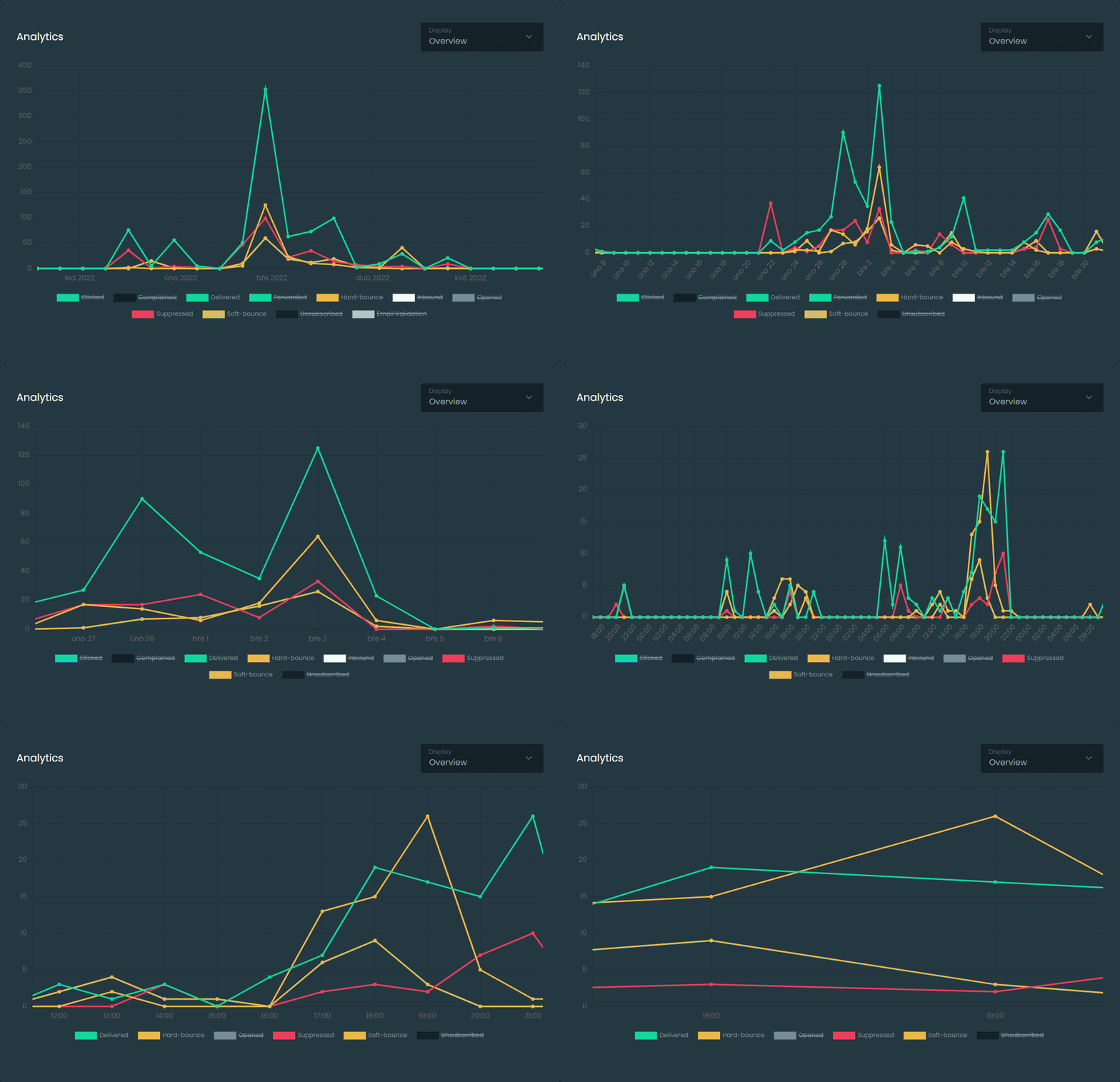
Bounce chart
The bounce chart complements the main timeline chart to provide additional detail about bounce categorization. As you zoom in or out of your timeline, it will be automatically updated with a detailed bounce breakdown of the data displayed on the timeline.
Event logs
It's often important to be able to track down specific messages and related events. Whether you are looking for deliverability issues or recipient responses, the event log will provide detailed information.
Log filtering
For your convenience, we provide filtering of event logs by date, channel, recipient, and event type. If you have a need for more granular filtering options, please contact our support with your suggestions.
There are usually multiple records for each individual message reflecting its state in the action column. Initially, the message begins its lifecycle with the state Accepted or Rejected, indicating the message submission status. This is followed by Delivered, Soft-bounced, Hard-bounced, or Suppressed, which indicate delivery status.
In some cases, messages can have both Delivered and Soft/Hard-bounced status. This occurs when remote bounces are received. Remote bounces occur when a remote MTA accepts the message but later returns a delivery status notification about failed delivery. The most common case is when a remote MTA performs anti-spam filtering after delivery or relays the message to another MTA.
In addition to delivery status, the log can also contain information indicating Opened, Clicked, Unsubscribed, and Complained. These states indicate recipient interactions with the messages and depend on your domain tracking settings.
You will also be able to see domain validation results in the log for each individual validation request if email validation is enabled. This type of record is indicated by the Email Validation action.
Comments
Add a comment